 B2BROKER
 B2CORE
 B2CORE IB
 B2TRADER
 B2CONNECT

 B2TRANSLATE
 B2BROKER
AI Chat
Ask a question in the terminal, review a proposed action and find the result later.
Use AI Chat in the web terminal to ask about the platform, your open positions or a market. Sign in to a trading account with AI Chat enabled by your broker.
Ask a question
- Select AI Chat in the terminal toolbar.
- Check the account shown at the top of the panel. For an account-specific question, make sure this is the account you want to review.
- Type a question such as “What positions are open on this account?” and press Enter. Read the reply in the conversation.
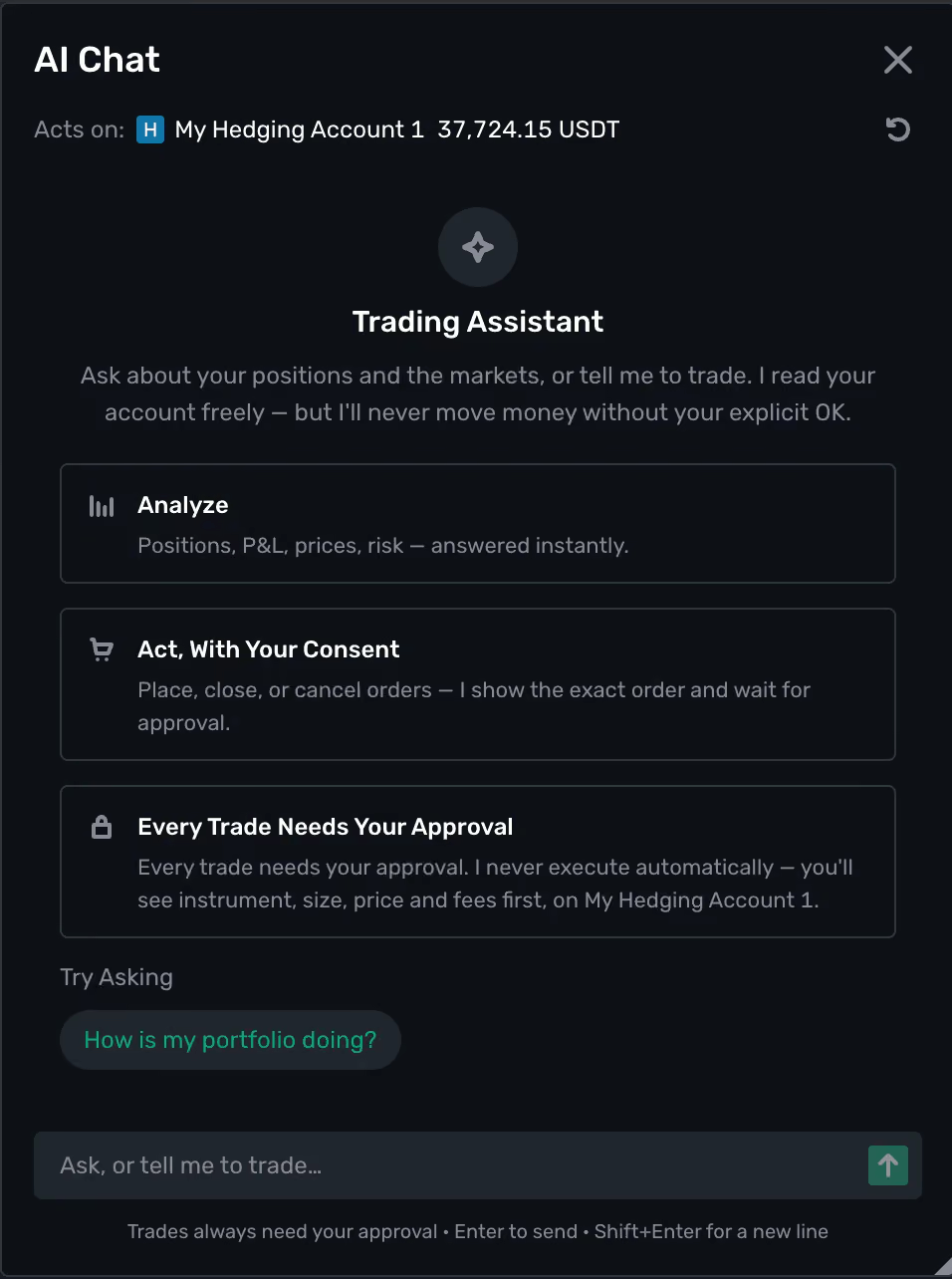
The account above the conversation identifies which account the chat is using. Enter your question at the bottom.
Review a proposed action
If you ask the assistant to prepare a trade, it presents the proposed action for your approval. Check the account, instrument, size and other details shown on the card. Confirm only if you want to proceed. You can decline the proposal.
Revisit the result
Close the panel and reopen AI Chat to see completed operation cards in the conversation. To check who last changed an open position, open Open positions and inspect Reason. A position opened or last changed through the assistant shows AI Assistant. A later manual change by you shows Trader.
For a structured overview of a market, open the AI Assistant widget.
آخر تحديث في