 B2BROKER
 B2CORE
 B2CORE IB
 B2TRADER
 B2CONNECT

 B2TRANSLATE
 B2BROKER
Mobile app release notes
View the history of releases for B2CORE mobile apps on iOS and Android, including key updates, new features, and enhancements
December, 2025
v1.31 (iOS)
This version includes:
-
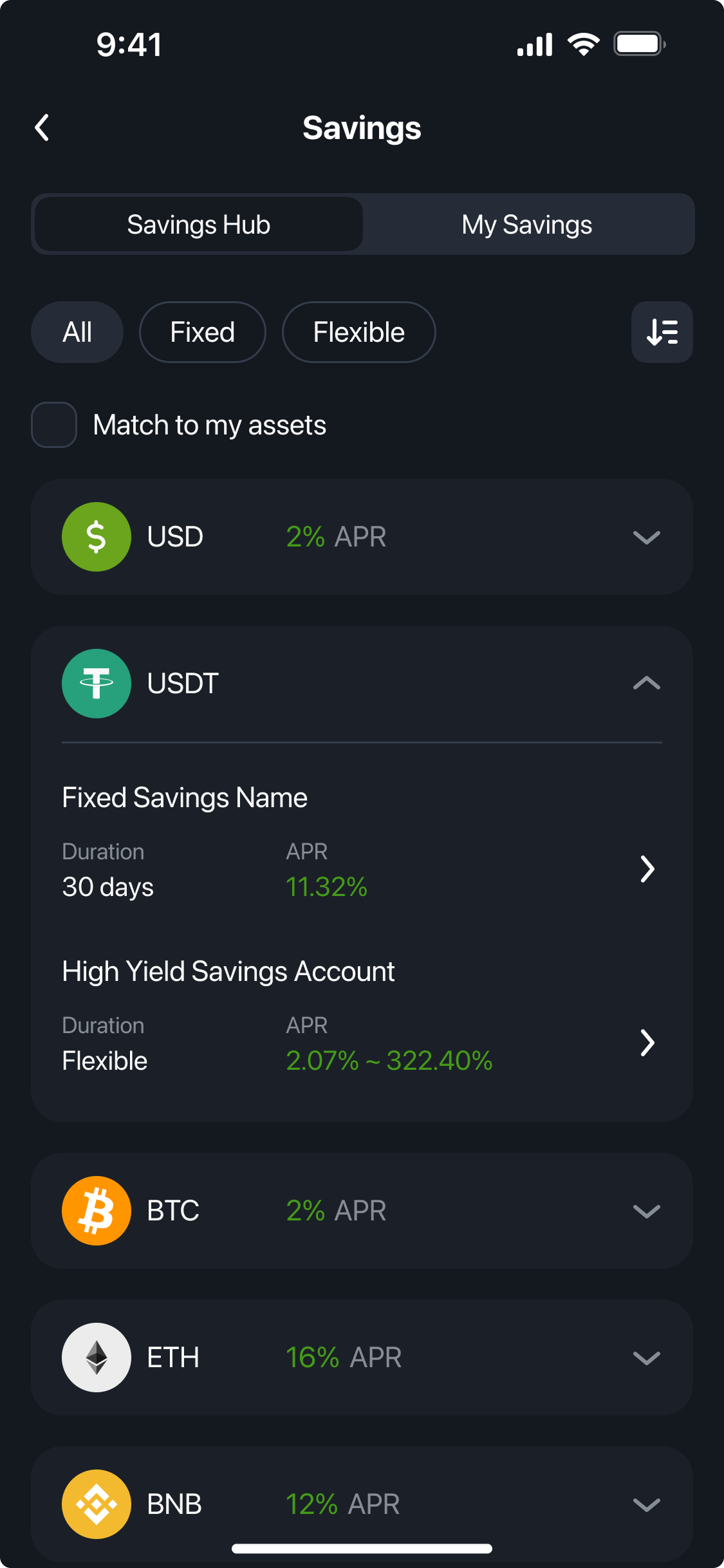
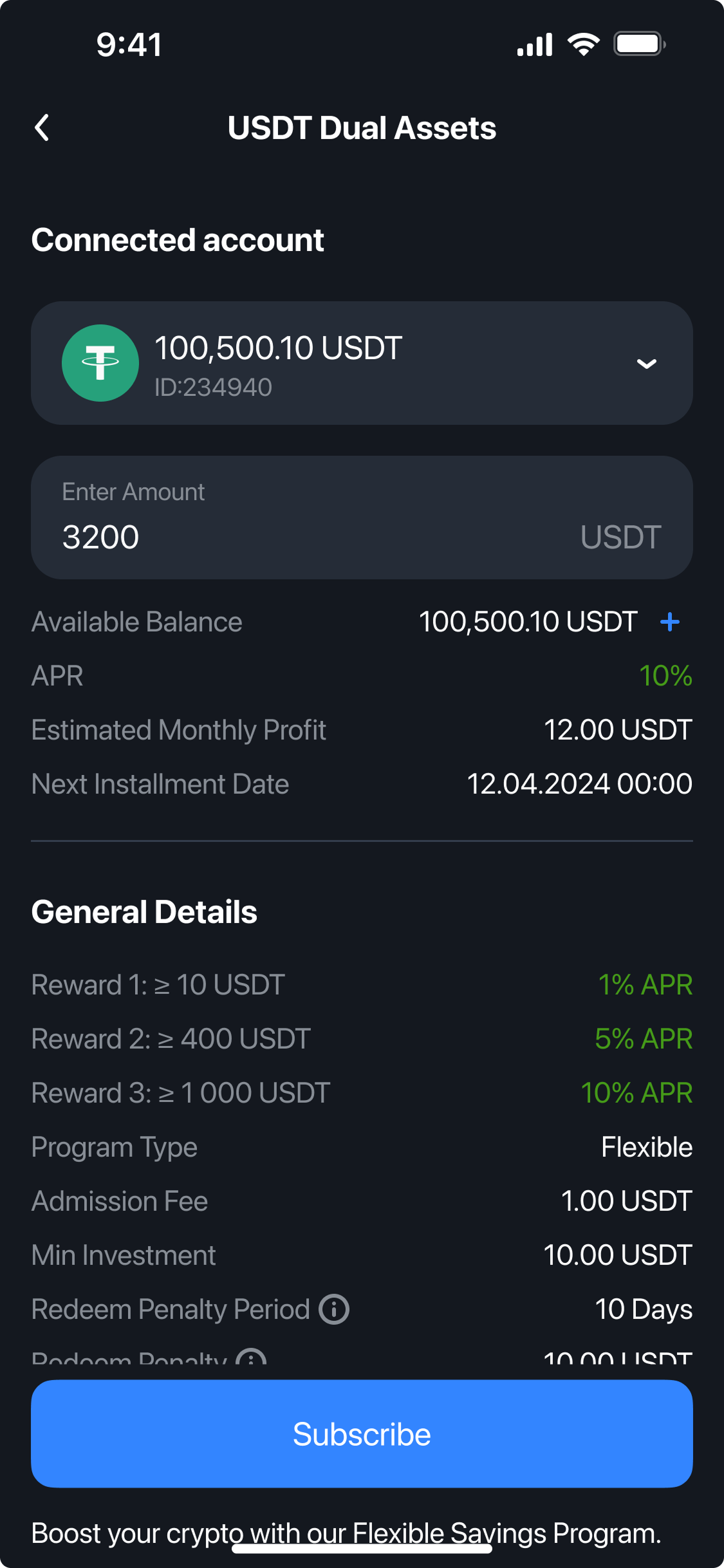
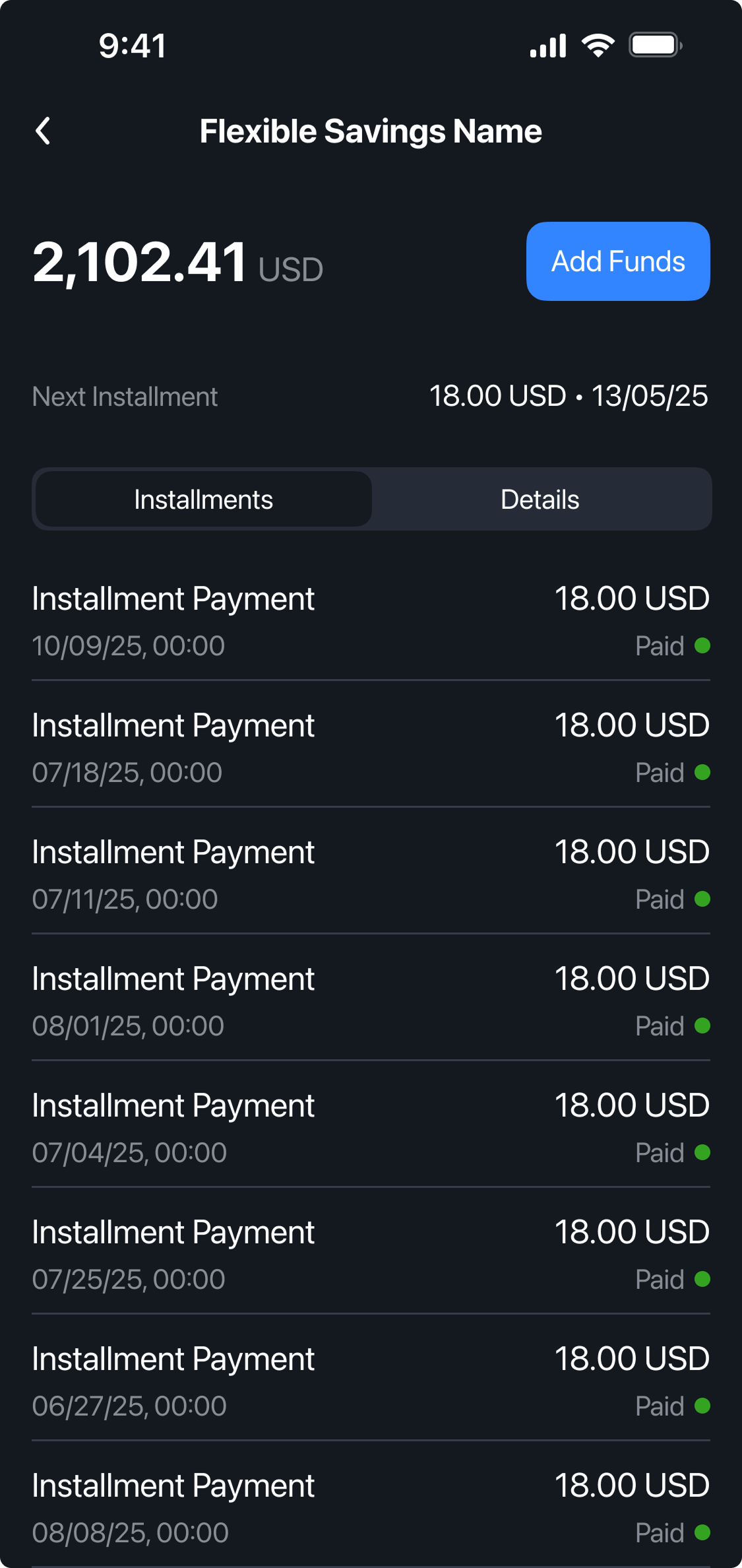
Savings now available in the app
Clients can now access Savings directly in the app. They can view and subscribe to savings programs, create wallets in the required currencies, monitor active programs, add funds, track interest payments, and, if needed, withdraw funds before the plan's end date.
-
Streamlined Total balance calculation
The total balance shown on the app Dashboard now reflects the combined balances of all wallets and trading accounts and fully matches the total displayed in the B2CORE UI.
-
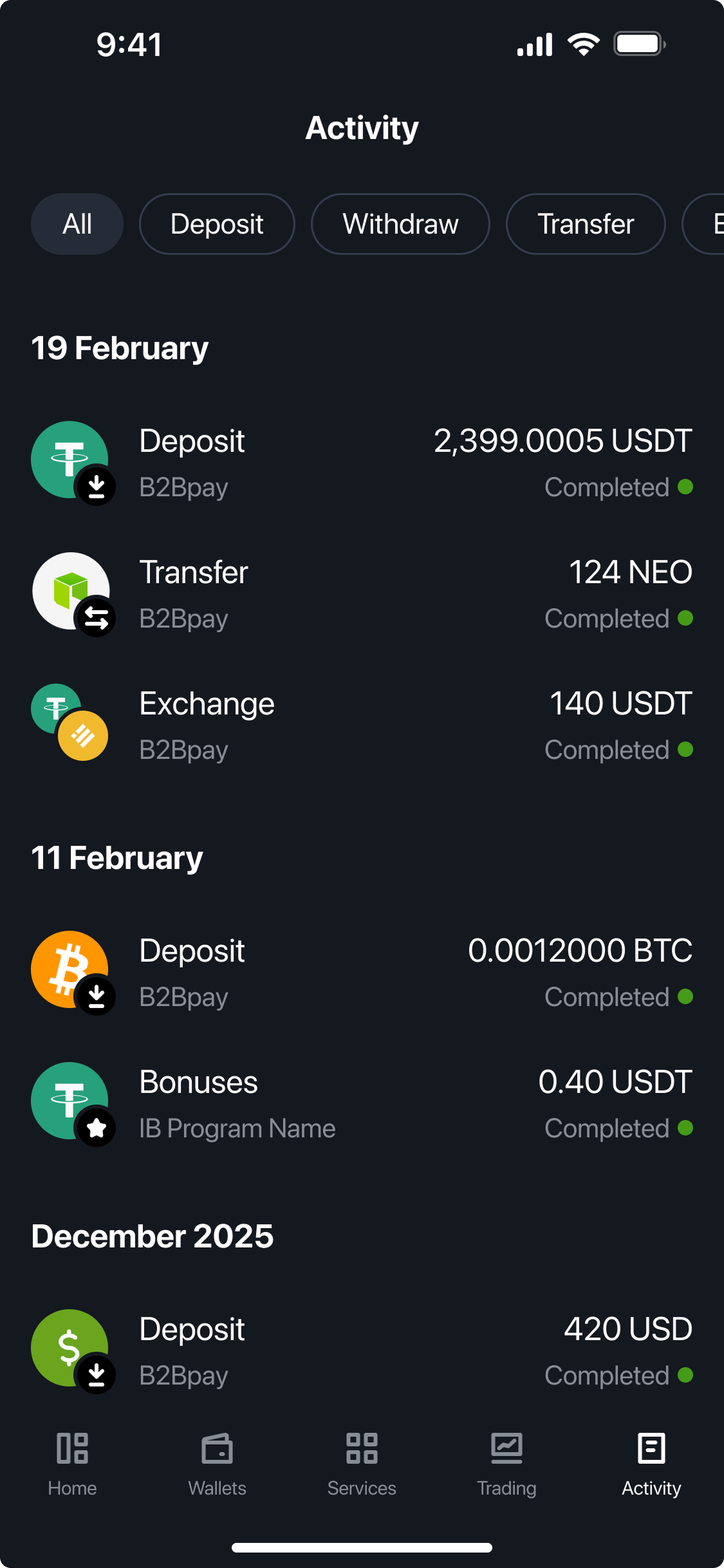
New Activity section
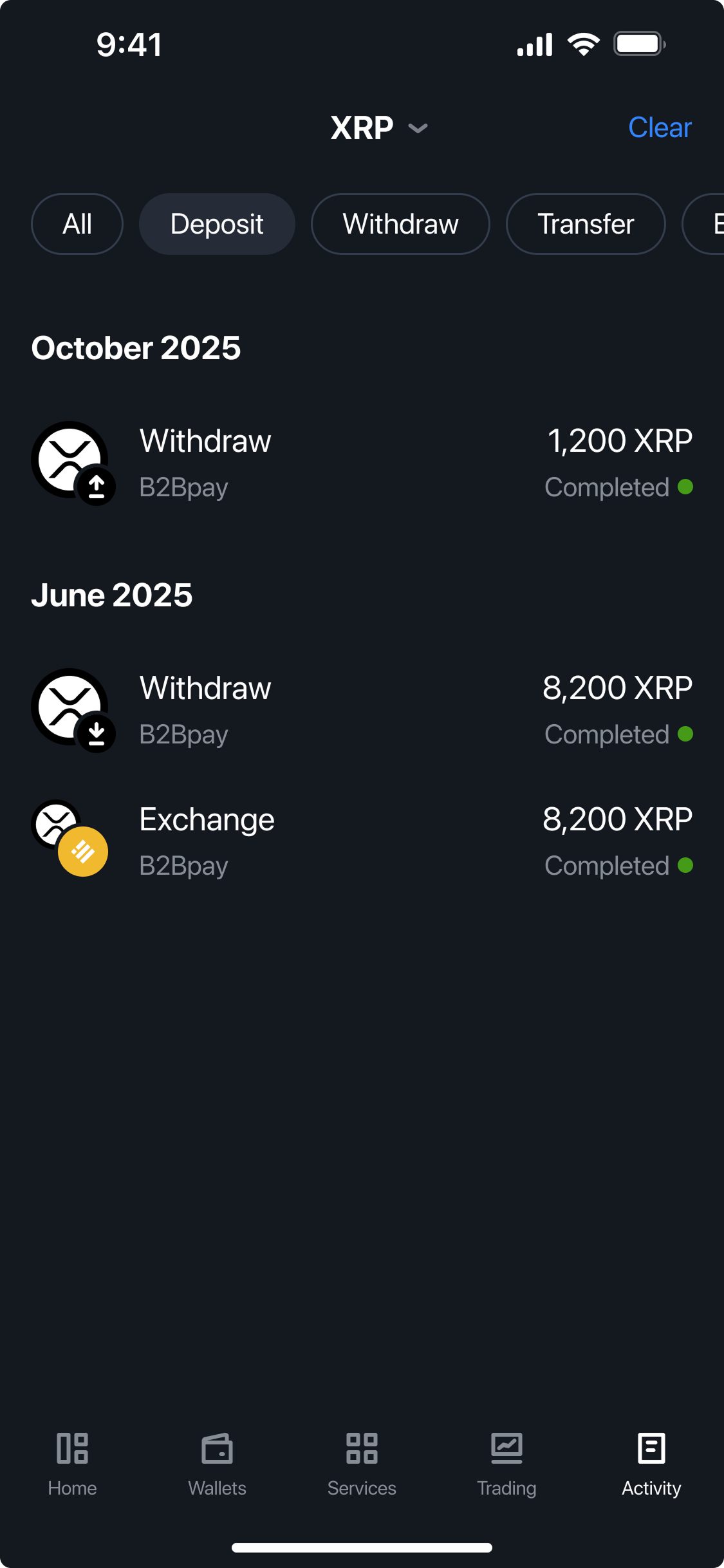
A new Activity section has been added to the app, providing a complete history of all transactions in one place. Clients can now easily track their deposits, withdrawals, transfers, and exchanges, as well as search for transactions in specific currencies. The Activity section is accessible from the tab bar, as well as from the Home and Wallets screens. Use pull to refresh to quickly update the section and view the most up-to-date information.
-
Support for copy trading, PAMM, and MAM
Copy trading, PAMM, and MAM functionality from B2COPY is now supported in the app via a web view. This enables clients to access these services directly from the app, through the Services section.
-
Blockchain explorer link for withdrawal tracking
Clients can now track withdrawal transactions on the blockchain directly from the app. For crypto wallets, a link to
https://www.blockchain.com/exploreris available for withdrawals in Bitcoin, Ethereum, and Bitcoin Cash, making transaction monitoring easier and improving transparency. -
Static payment details for deposits via B2BINPAY V3 and Coinsbuy V3
The app now supports static payment details for deposits via B2BINPAY and Coinsbuy when connected through API V3. With static payment details, clients can generate one or more blockchain-specific deposit addresses directly in the app. These addresses are saved for future use and can be reused for subsequent deposits.
In addition, the crypto deposit flow via B2BINPAY V3 and Coinsbuy V3 has been improved with clear fee breakdowns and indicative amount displays, providing better transparency and a smoother deposit experience.
-
Full B2TRANSLATE integration for payment forms
Payment forms in the app are now fully integrated with B2TRANSLATE (formerly Weblate). Labels for all components of dynamic forms for PSS-connected deposit and withdrawal methods, as well as validation error messages, can now be customized and translated into multiple languages via B2TRANSLATE.
-
Bug fixes and improvements to ensure a smoother and more efficient user experience.
November, 2025
v1.30.2 (iOS)
- This version is a bug-fixing release that improves the app experience.
September, 2025
v1.30.0 (iOS)
This version includes:
-
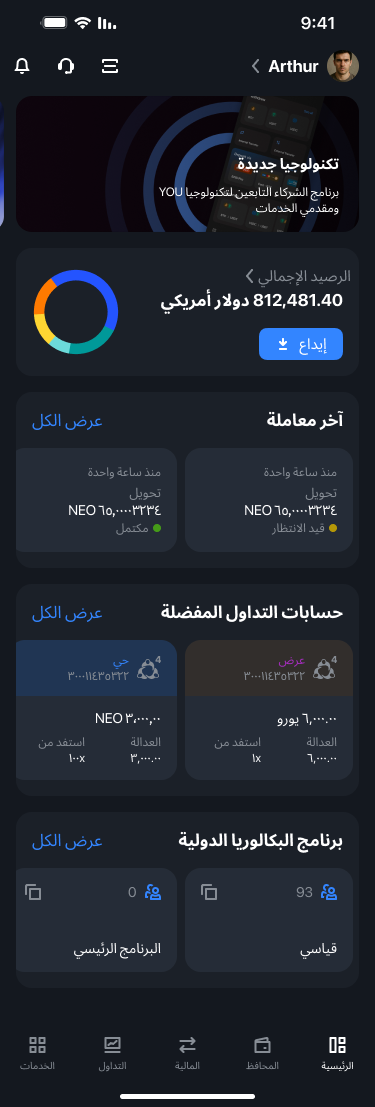
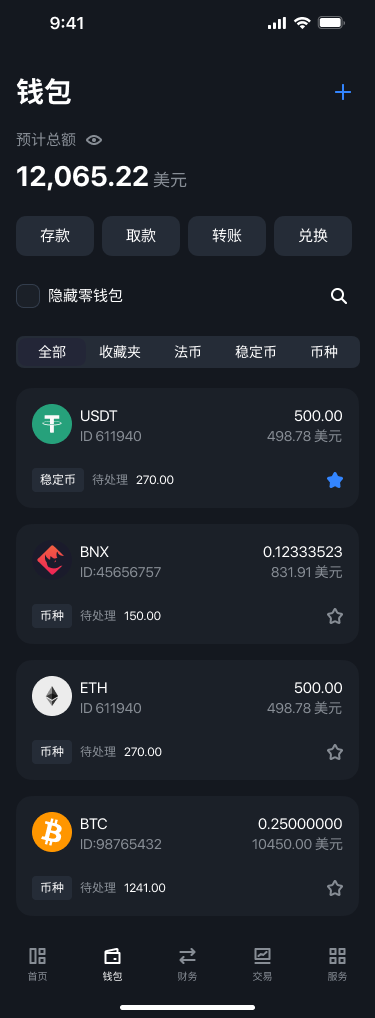
Extended multi-lingual support
With B2TRANSLATE (formerly WEBLATE) integration, the app now supports localization in up to 35 languages. The key benefits include:
- Offering the same language options on the app as in the B2CORE UI.
- Customizing translations for each of the 35 supported languages via B2TRANSLATE.
- Maintain translations for both the app and the B2CORE UI using a single tool: B2TRANSLATE.
- Improving scalability and client satisfaction by removing language barriers.
The integration is already in place, but translations for the supported languages need to be added to B2TRANSLATE. Full localization will become available once this process is completed.
-
PSS deposit & withdrawal methods now in the app
Withdrawal methods configured via the Payment System Service (PSS) in the Back Office are now available in the app. This completes support for both deposit methods, which were previously integrated, and withdrawal methods connected through PSS.
-
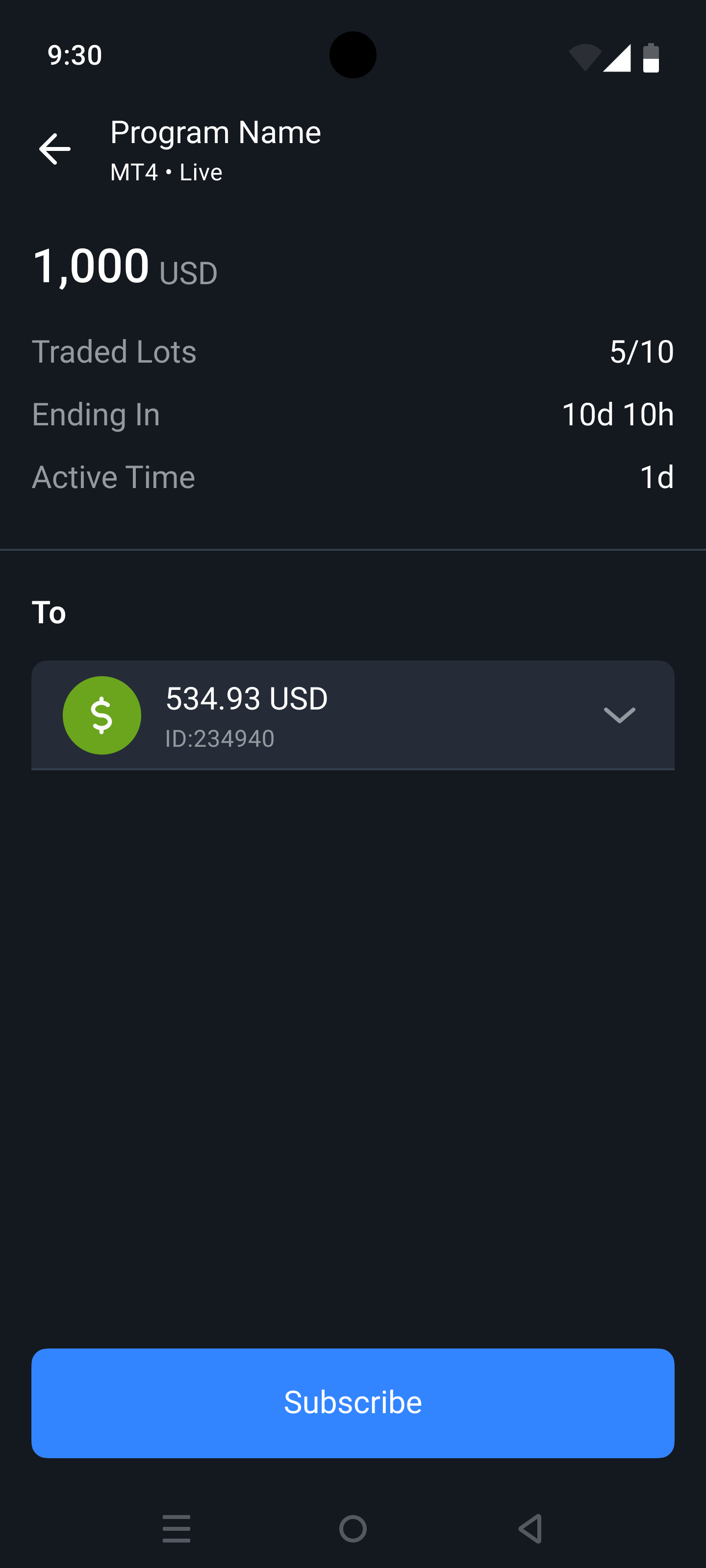
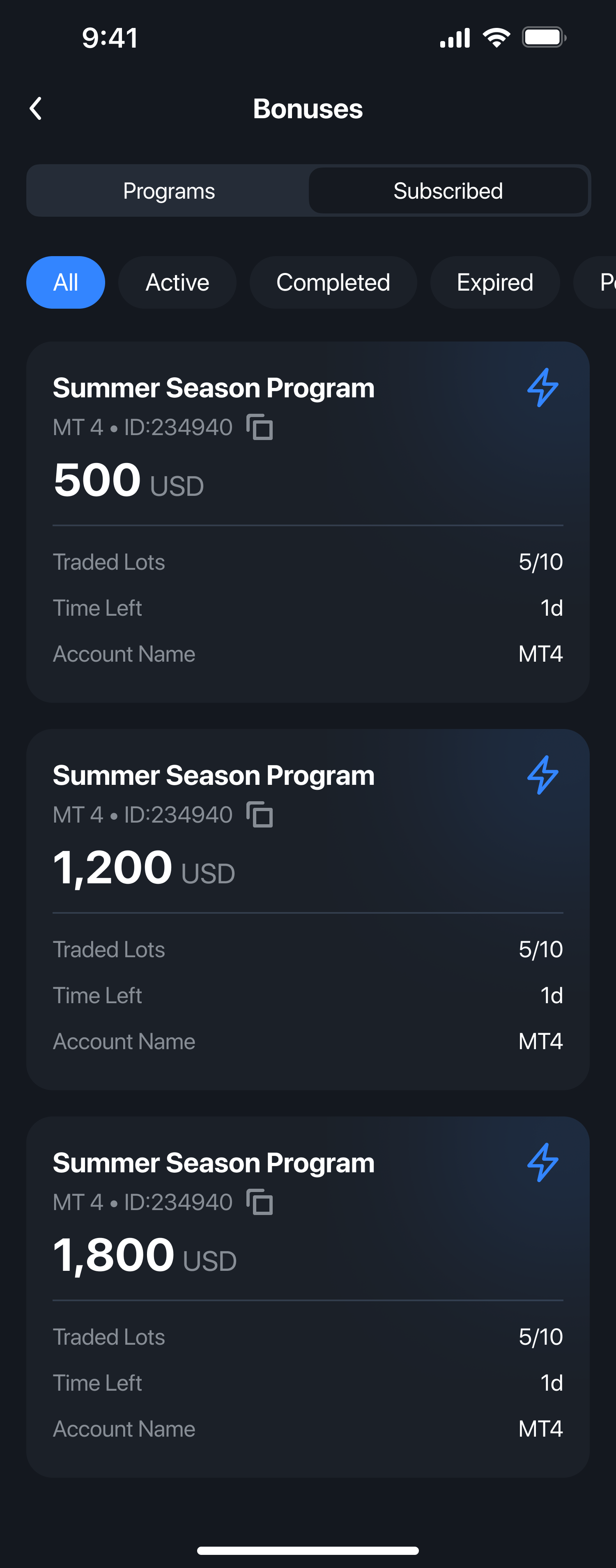
Bonuses now available in the app
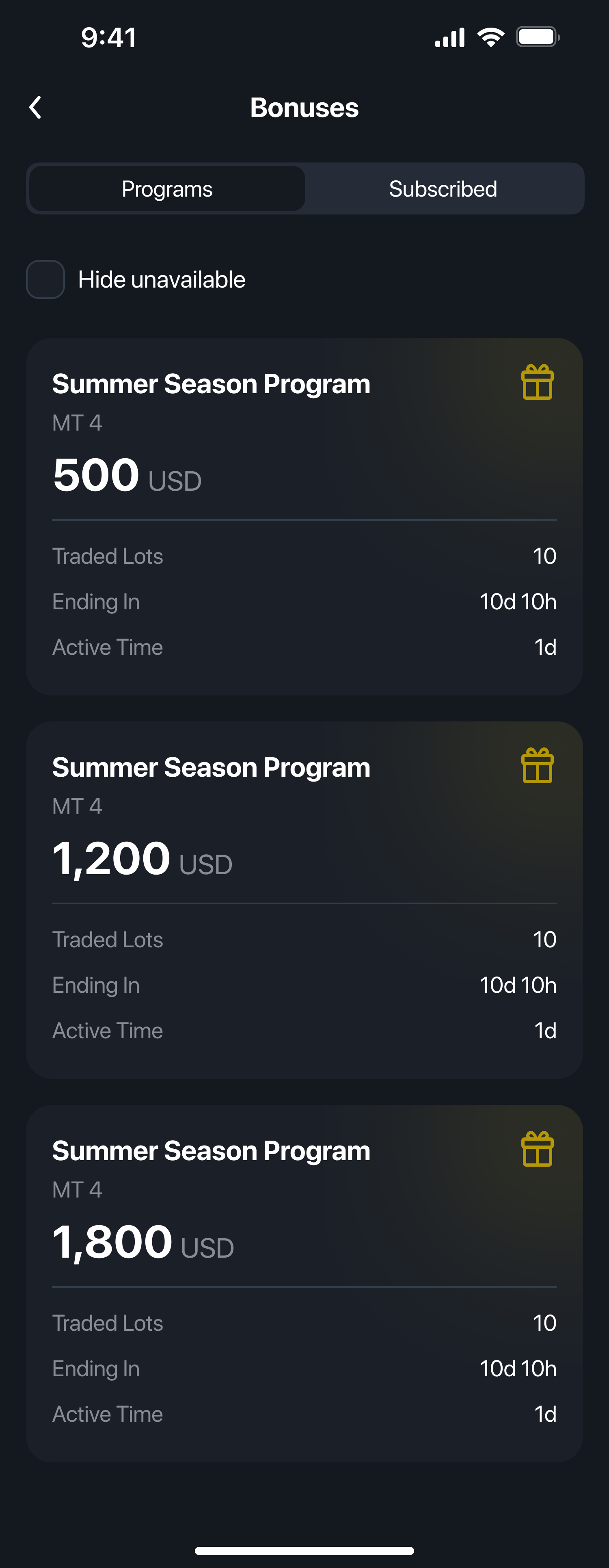
Clients can now access and manage bonuses directly in the app, including deposit bonuses. Bonuses are supported on MT4/5 and cTrader.
Bonuses are added as credit funds to clients’ trading accounts, increasing trading capital and margin. Once the bonus requirements are met, the bonus amount is converted into real funds and becomes withdrawable; otherwise, it expires.
-
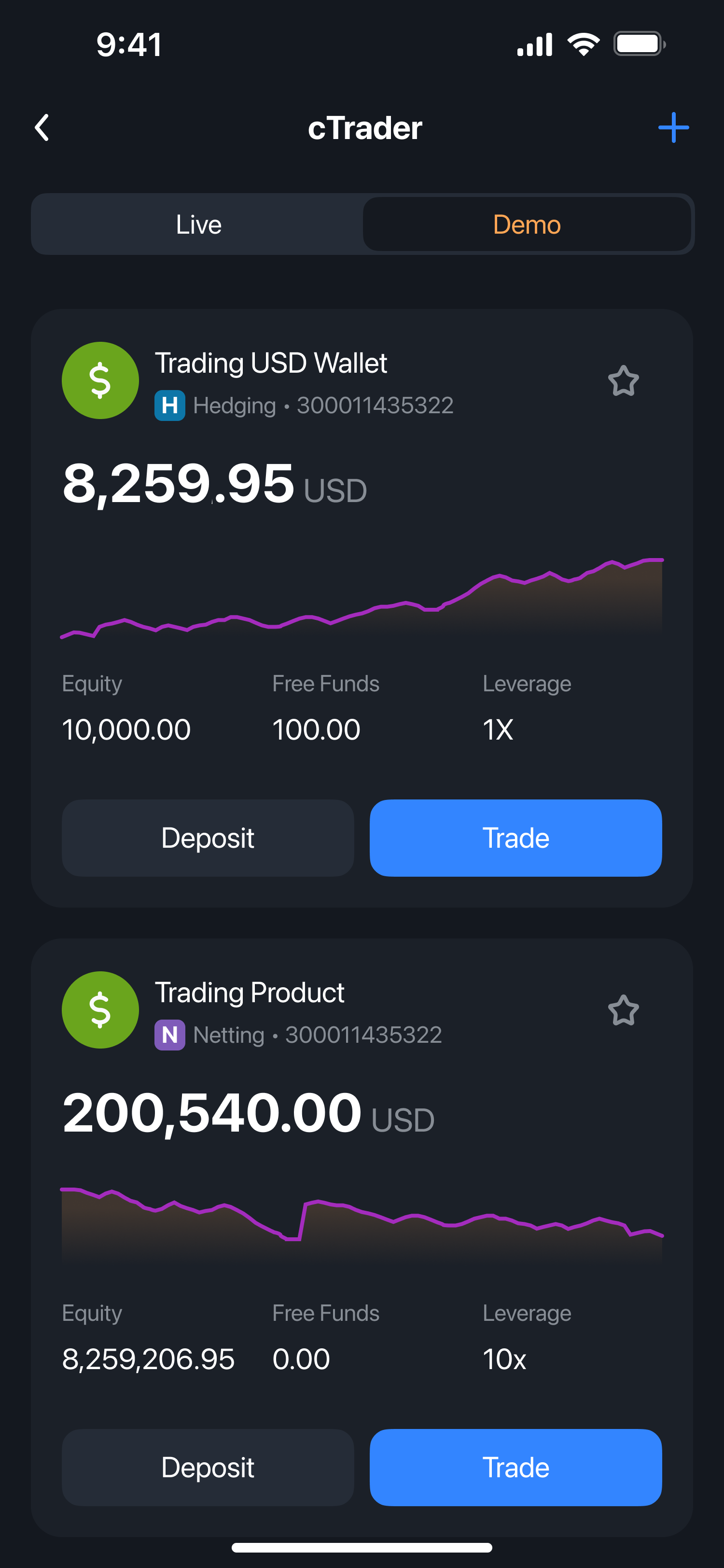
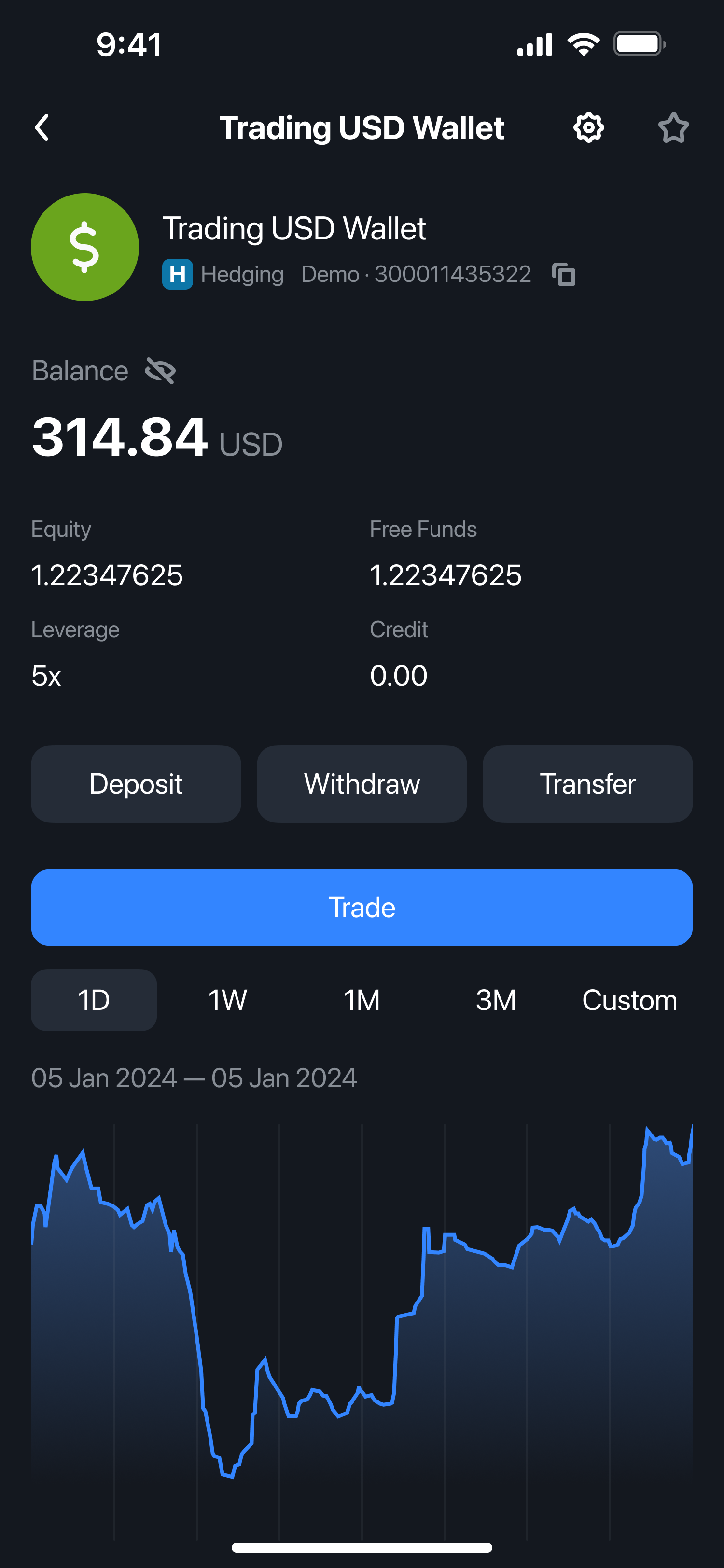
Refreshed UI for trading accounts
The Trading section has been updated for a more intuitive and seamless experience, enabling clients to:
- Open trading accounts effortlessly.
- Top up accounts in fewer steps.
- Navigate to trading smoothly.
-
Feedback form
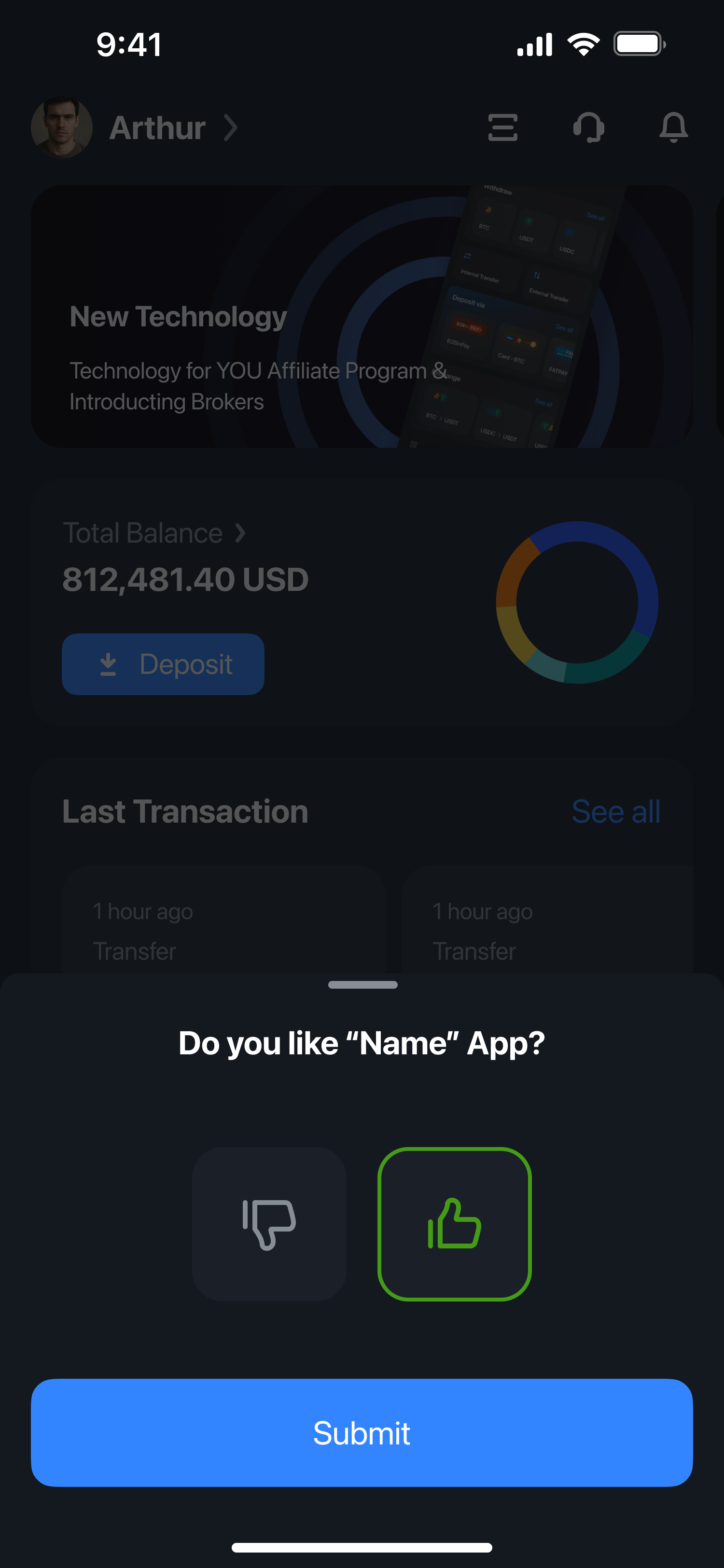
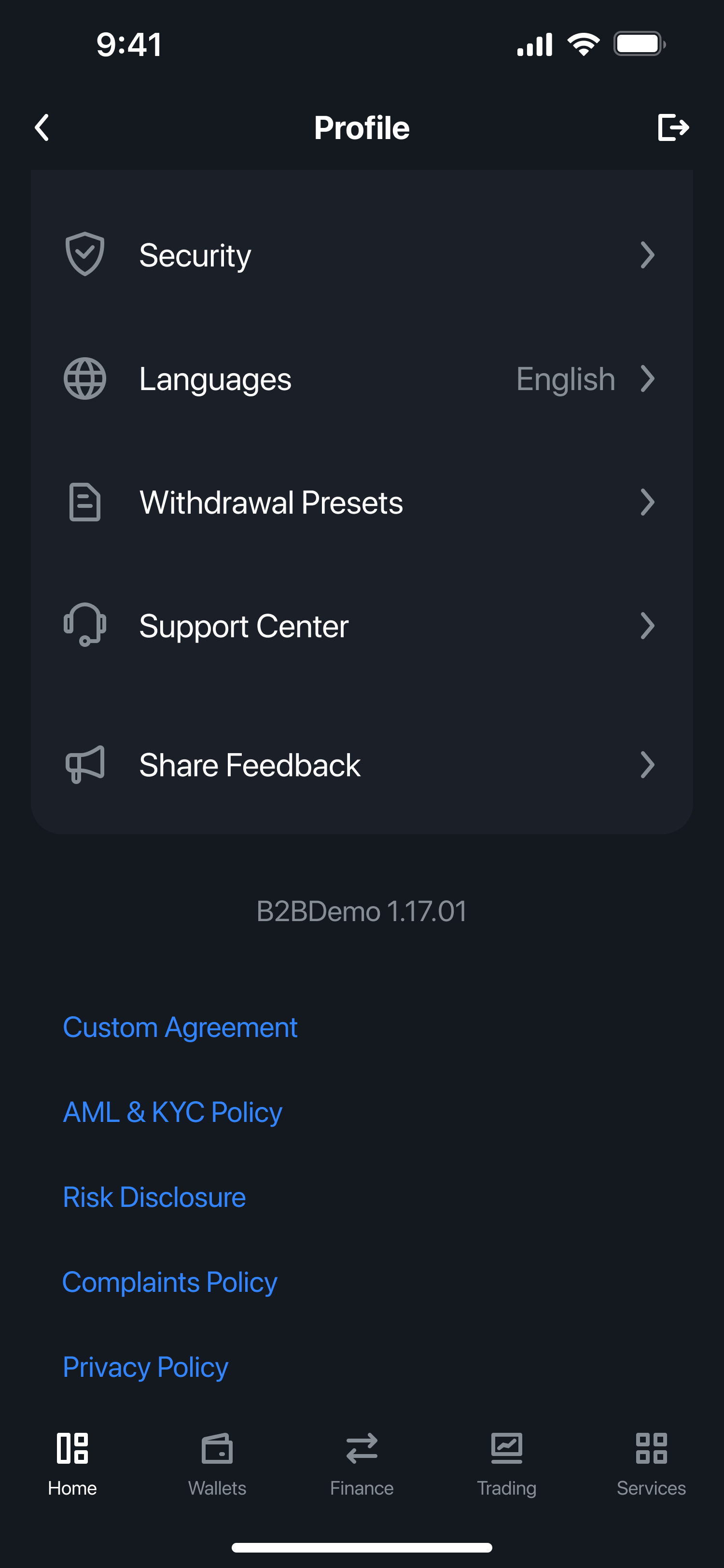
Clients can now quickly rate their experience as positive or negative within the app, with the option to provide a more detailed comment. The feedback form appears automatically after several app launches or financial operations and can also be accessed anytime from the Profile menu. The feedback data can be tracked via analytics tools.
- Fixes and improvements to ensure stable performance and reliability.
July, 2025
v1.29.1 (iOS)
This version includes bug fixes and performance improvements for a better app experience.
June, 2025
v1.29 (iOS)
This version includes:
-
Deposits methods configured via PSS now supported in the app
Deposit methods configured in the Back Office through the Payment System Service (PSS) are now accessible to users directly within the app.
Please note, withdrawal methods via PSS aren’t yet supported in the app.
-
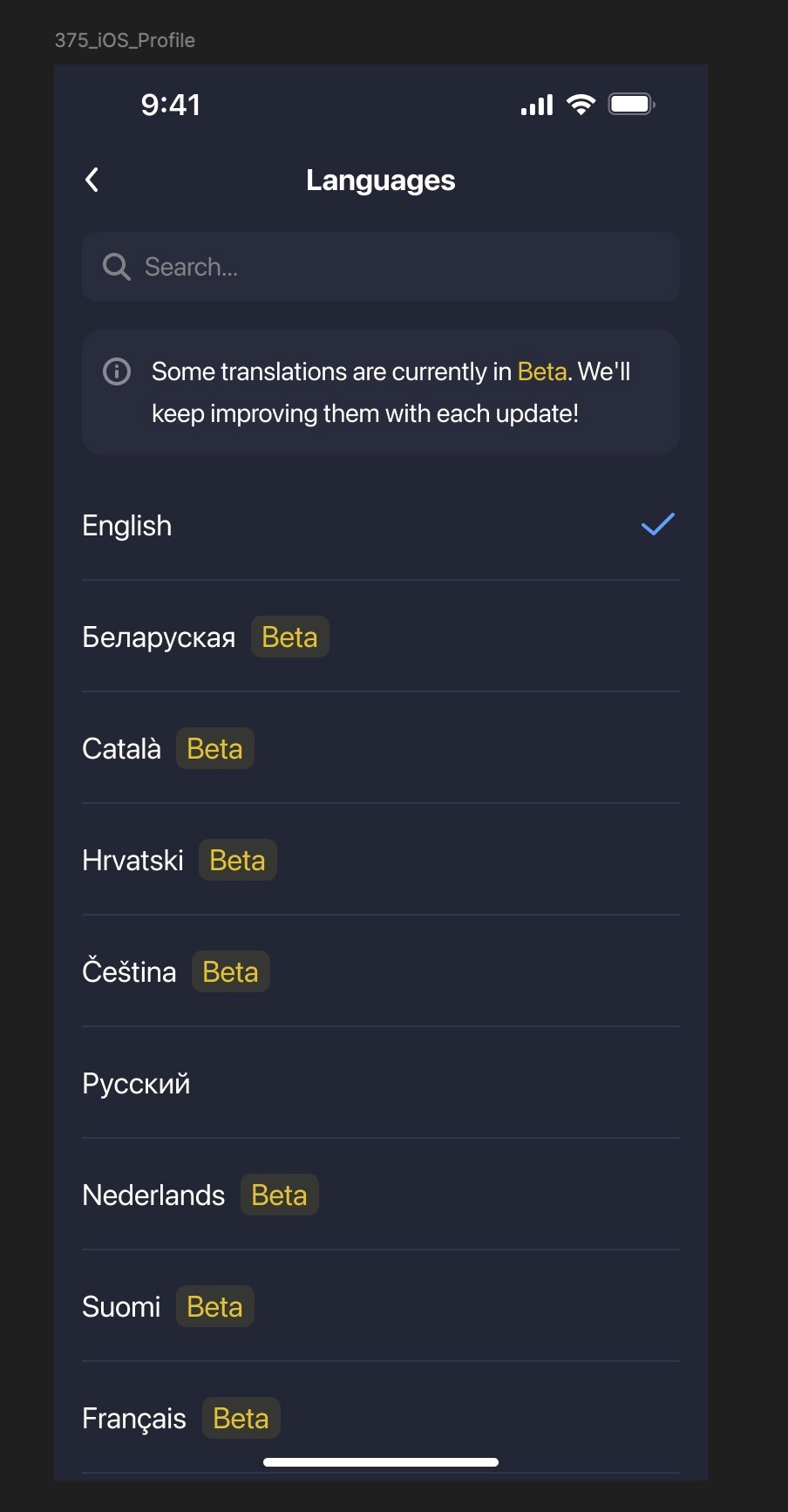
Multi-language support (Beta)
The app now supports 16 new interface languages, including Arabic, Polish, German, Russian, Persian, Chinese, French, Thai, Italian, Indonesian, Hindi, Vietnamese, Portuguese, Czech, Japanese, and Korean.
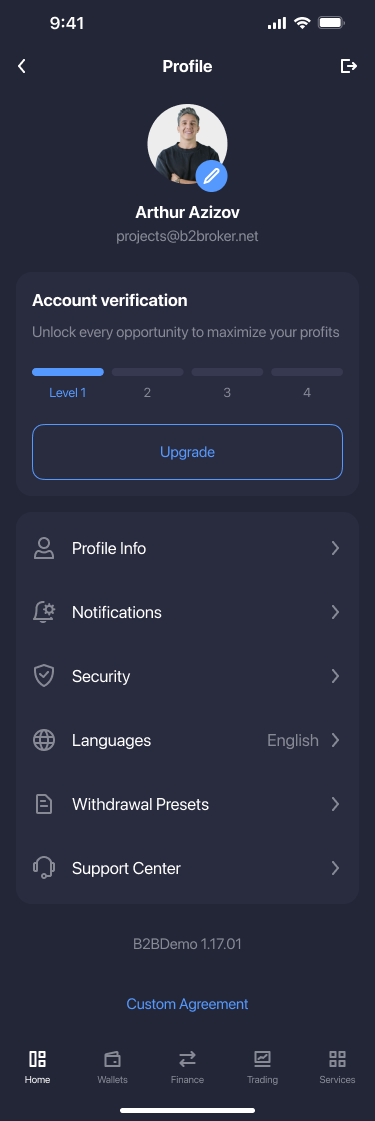
Languages can be switched directly in the app in Profile > Languages.
All languages are currently in Beta, and translation improvements will continue in future updates.
-
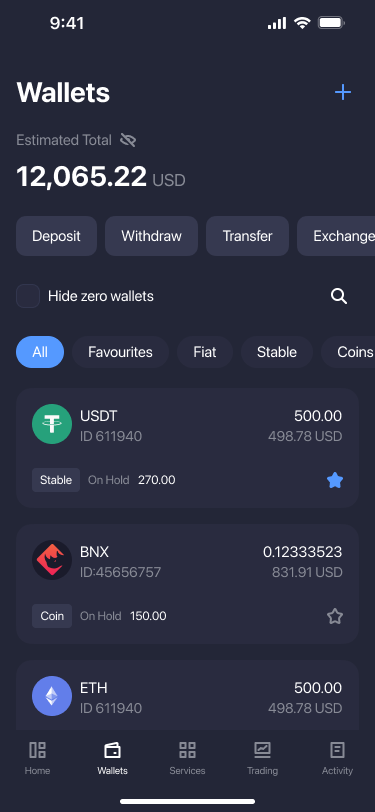
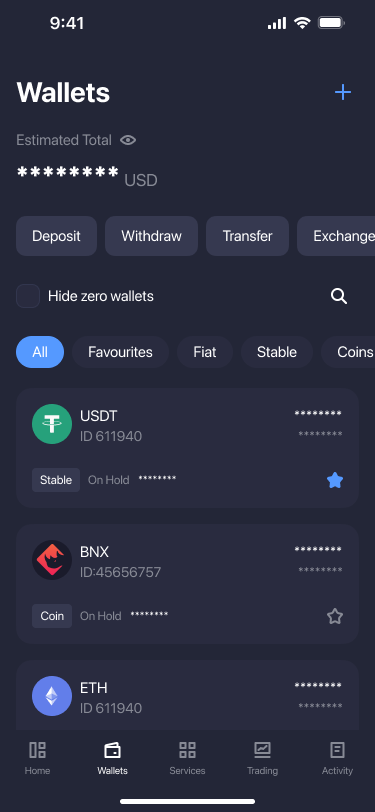
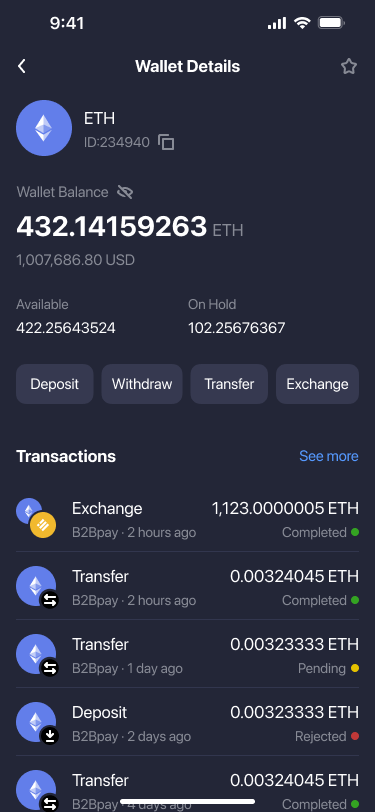
Redesigned Wallets
The Wallets interface has been updated with a cleaner, more modern design, featuring:
- Refreshed wallet card design
- Display of the portfolio’s Estimated Total
- Quick access to depositing funds and other financial operations
- Enhanced wallet details, including total and available balances, recent transactions, and clearly highlighted action buttons.
-
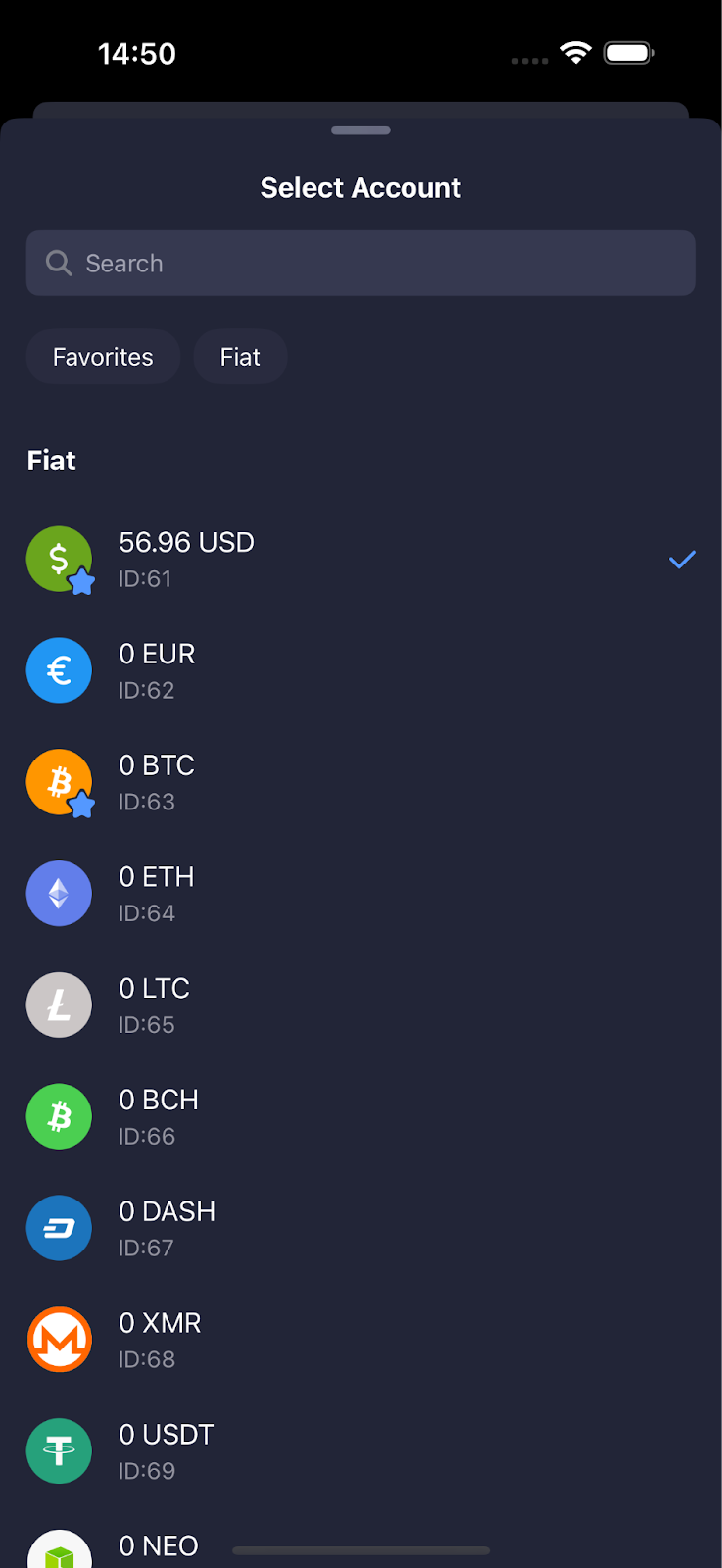
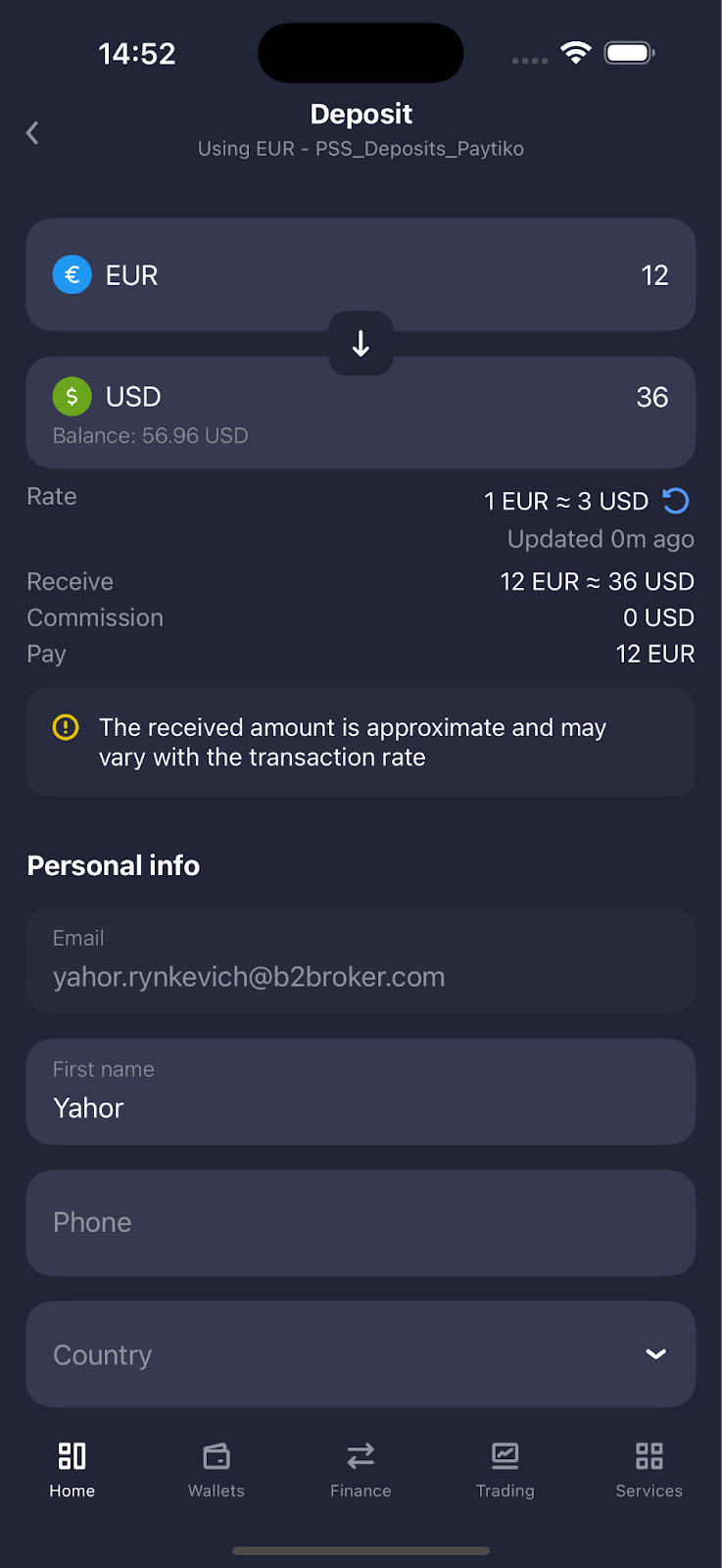
Enhanced deposit experience
A redesigned flow makes it easier and faster for users to complete deposits.
-
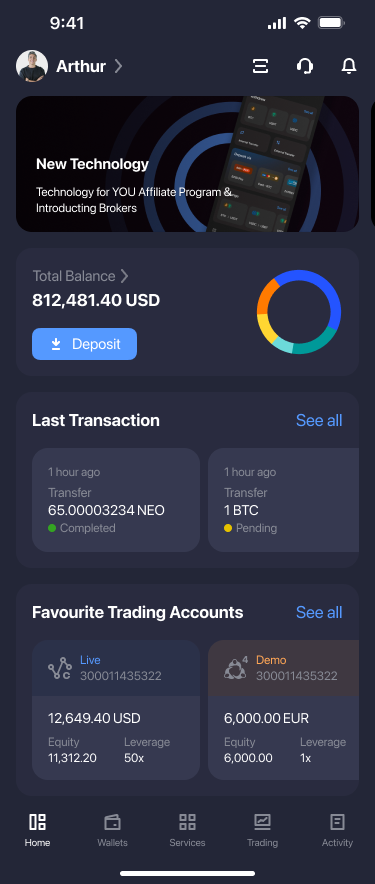
Support for favorite cTrader accounts
Users can now mark cTrader accounts as favorites. Once marked, these accounts appear in the Favorite Trading Accounts widget, providing quick and easy access to trading directly from the Home screen.
-
Support for custom tiles in Services
Custom tiles can now be added to the Services section to link users to third-party services or external resources that support your brokerage business. Configuration must be set in the Back Office, where the tile name and redirect URL must be specified. Once configured, custom tiles will appear in the app under Services.
In the Back Office, the option to configure custom menu links will become available with the June 2025 release.
-
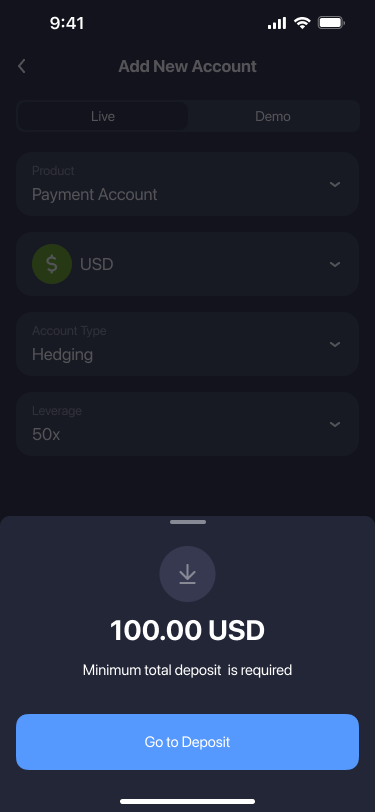
Streamlined account creation with the Go to Deposit option
The account creation process has been streamlined to clearly indicate when a minimum deposit is required. If funds are insufficient for opening a new trading account, users will see the required amount along with the Go to Deposit button, encouraging quick funding and faster trading.
- Optimized overall app performance to provide a faster, more stable, and responsive user experience.
March, 2025
v1.28 (iOS)
This version includes:
Improved sign-up and onboarding experience
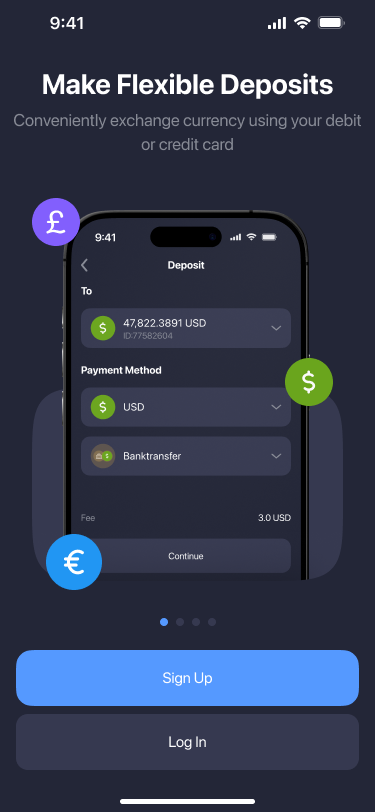
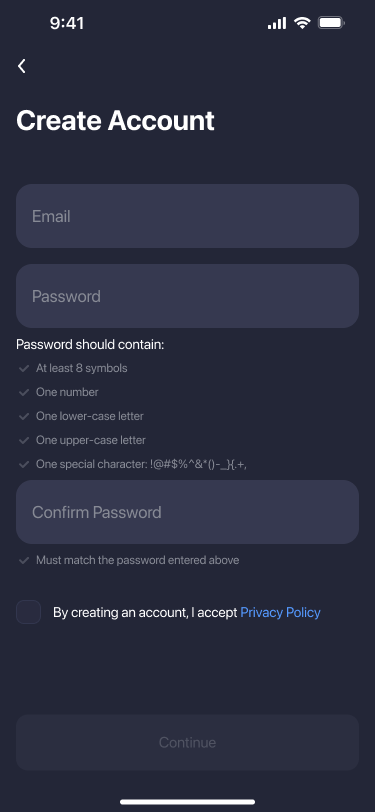
The sign-up and onboarding processes in the app for new clients have been improved:
- Quick app overview: before accessing the Sign Up and Sign In forms, clients now see a brief app overview showcasing key features through several screens. This enhancement aims to increase registration conversion and attract more potential clients.
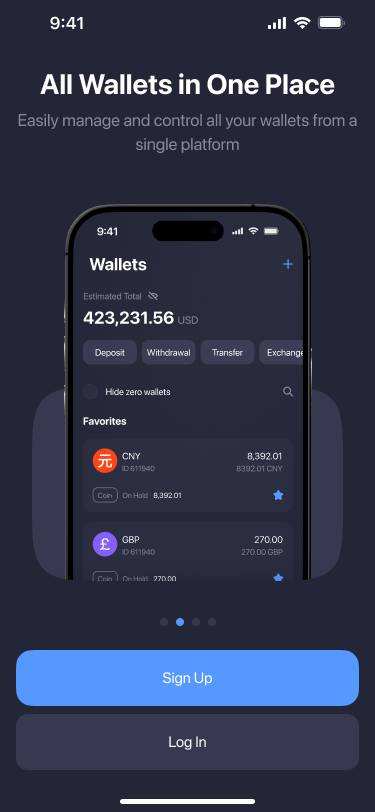
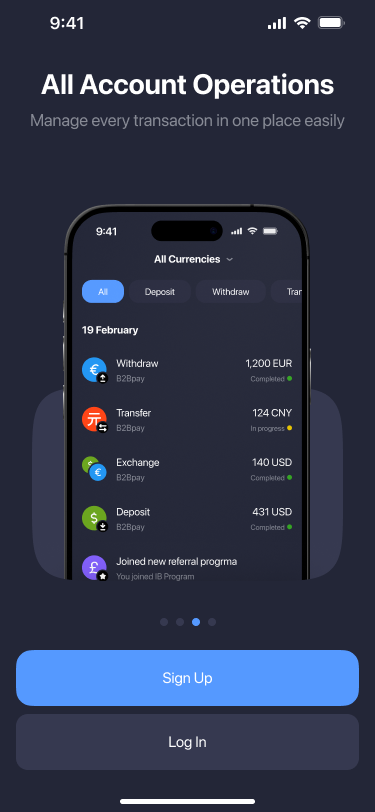
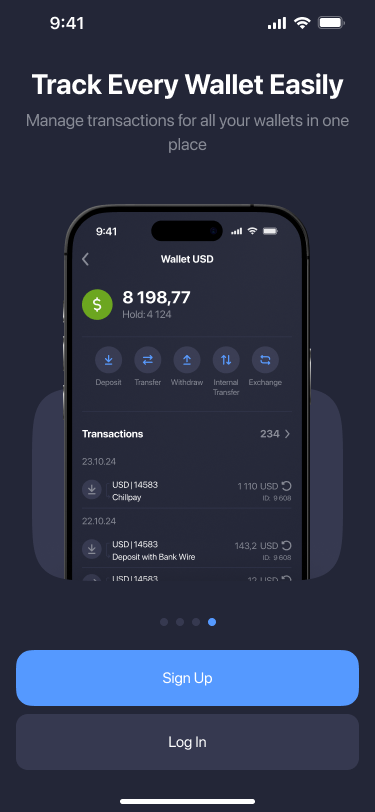
- Revamped design: the Sign Up and Sign In forms have been redesigned for a better user experience.
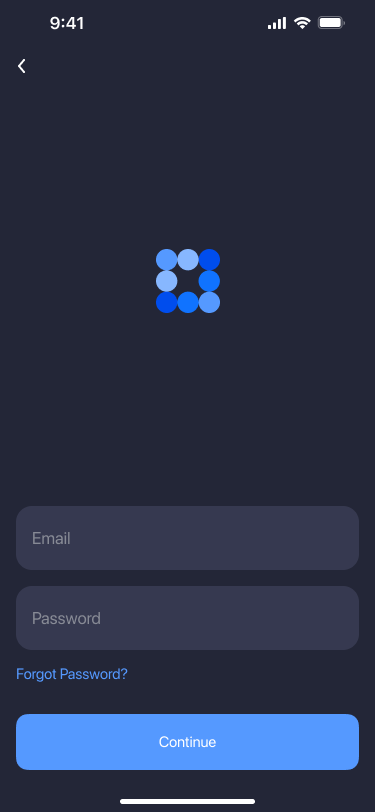
-
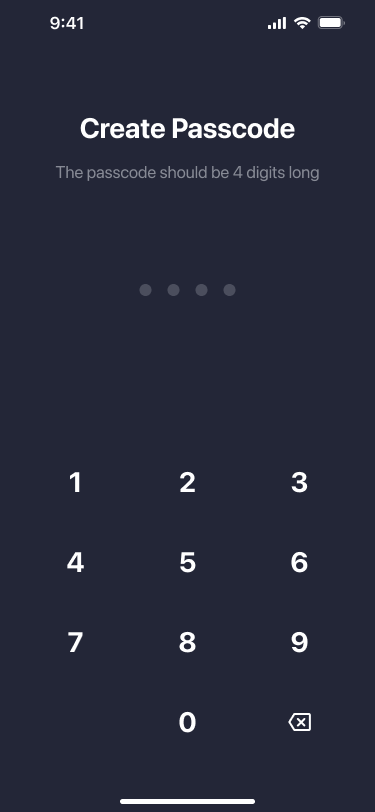
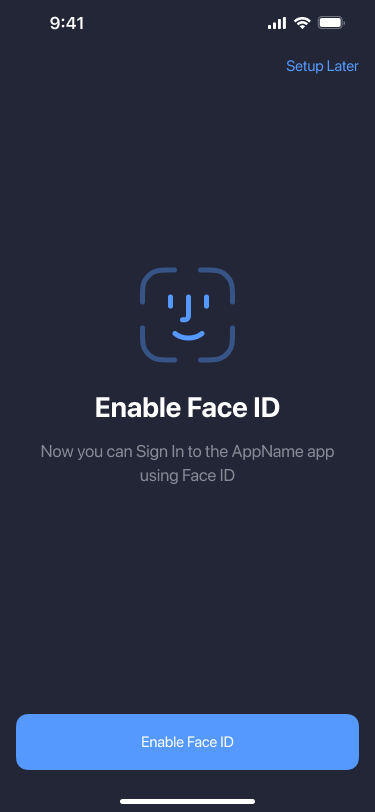
Enhanced security: during sign-up, setting a passcode is now required. Once set, it can’t be disabled. Enabling Face ID remains optional.
If a client hasn’t previously set up a passcode or enabled Face ID, these steps will now be included during sign-in.
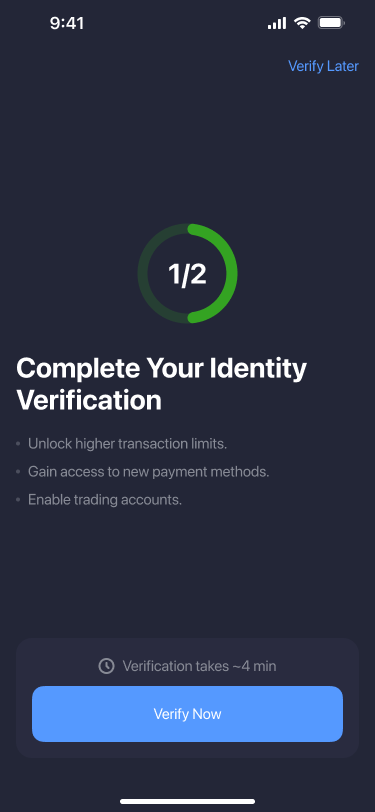
- Verification: a prompt to complete verification has been added to the onboarding process, encouraging clients to verify their identity, make their first deposit, and start trading faster.
One-click access to trading
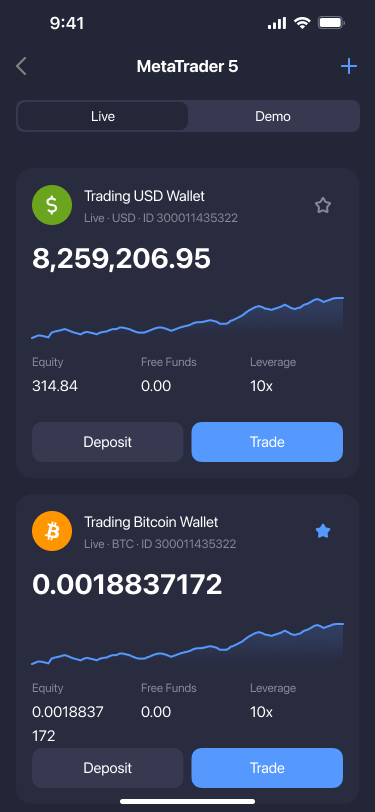
Clients can now access the MT4, MT5, and cTrader trading terminals by tapping Trade from their accounts in the app, making trading more convenient. To enable this feature, specify the Web Terminal URL in the platform details upon navigating to Products > Platforms in the B2CORE Back Office (for details, refer to How to enable one-click trading access from the B2CORE UI and mobile app).
December, 2024
v1.27 (iOS)
This version includes:
-
Enhanced security with passcodes
Setting a passcode is now available during sign-up or sign-in to ensure improved app security.
-
Optional biometric authentication
Biometric options, such as Face ID or Touch ID, have been introduced as an additional layer of security for quick and secure access.
-
Support for analytics in Amplitude
The Amplitude platform is now supported for the app, enabling you to get analytics about your clients’ actions within the app. Please contact your account manager for assistance in setting up and getting Amplitude analytics.
-
Bug fixes and improvements affecting the display and usability of the app's interface for a more seamless user experience.
v1.26 (iOS)
- This version brings internal enhancements and behind-the-scenes fixes to boost app performance and improve the user experience.
v1.25 (iOS)
This version includes:
-
Redesigned Deposit section
The Deposit section, accessible via Services > Finance, has been redesigned for a smoother deposit experience. You can now easily select a wallet and deposit currency, and then choose one of the supported payment methods. Once selected, you’ll receive the deposit address or have the option to enter bank details to finalize your transaction.
Additionally, before making a deposit, you can check current rates and calculate estimated amounts based on those rates in the Indicative amounts section.
-
The app performance has been enhanced for a faster and more seamless experience.
v1.24 (iOS)
This version includes:
-
App Services
We are pleased to introduce the new app services feature, making it easier for you to locate supported services, such as Trading, Finances, HelpDesk, IB, and others, and see what will be available soon. The feature enables you to:
- access services directly from the Home screen
- search for the service you need
- tap a service tile to quickly navigate to the desired service.
-
Integration with Zendesk
The Zendesk customer support platform has been integrated, offering ticketing, live chat, and AI tools. Tap the HelpDesk button to navigate to the Zendesk interface from the app, without any additional authorization.
-
Enhanced IB Room
The enhancements to the IB Room include detailed information about clients and rewards, enabling you to:
- view a list of Direct IB and Sub-IB clients registered using your referral links. For each client, you can view the details about their total traded volumes and reward amounts you received.
- view a list of rewards paid to your wallet and navigate to reward details.
-
Password validation
When setting new passwords, they are now validated to comply with security standards, ensuring they meet the required length and include the necessary character requirements.
-
Bug fixes and improvements for a more refined and user-friendly interaction.
v1.23 (iOS)
This version includes:
-
Integration with B2TRADER Brokerage Platform
With this release, we are thrilled to announce integration with B2TRADER Brokerage Platform, offering you a comprehensive trading experience:
- Single sign-on: sign in to the app and navigate to the BBP platform without additional authorization.
- Account list with detailed balances: keep your funds under control with a comprehensive view of account balances. Create and rename accounts to keep your funds well organized.
- Asset balances screen: view asset details, including the amounts of free and frozen funds, with the option to hide assets with zero balances.
- Order book and Price chart: monitor trading data and make buy and sell decisions, with quick access to the order placing screen.
- Candlestick and Line charts: switch between chart types and scroll through historical values.
- Limit & Market orders: place Limit and Market orders using all the supported time in force settings (Market: IOC, FOK; Limit: IOC, FOK, GTC, GTD, Day).
- Order lists: access open and historical order lists, providing easy navigation to order parameters and details, and options for quick canceling or repeating an order.
-
Redesigned Dashboard
The redesigned Dashboard offers the following enhancements:
- New widgets: use new widgets, such as Total Balance, Last Transactions, Favorite Trading Accounts (now displaying only MT4 and MT5 accounts added to favorites), and IB Program.
- Organize the Dashboard: easily organize your Dashboard by dragging and dropping widgets according to your preferences.
- Support for banners: banners can now be displayed on the Dashboard.
- Profile info: you can now view your profile name and picture at the top of the Dashboard.
- Quick navigation to HelpDesk: tap the button in the topbar for quick access to the HelpDesk, if supported.
- Apple store info: you can now review what’s new in the latest app version before downloading it.
-
Bug fixes and improvements to offer a smoother and more streamlined user experience.
v1.22 (iOS)
This version includes:
-
Integration with CentroID
Support for CentroID has been added, providing connectivity to various trading platforms and liquidity sources. Now you can add your CentroID margin accounts, and make transactions on the accounts.
-
Introducing Brokers (IB)
The IB Room option has become available in the Profile menu. Use it to register as a partner in referral programs and create your unique referral links. Attract new traders, earn rewards based on the trading activities of your newly referred clients, and track program performance using the IB Room Dashboard.
-
Bug fixes and improvements to ensure a more seamless and efficient user experience.
Last updated on