 B2BROKER
 B2CORE
 B2CORE IB
 B2TRADER
 B2CONNECT
 B2TRANSLATE
 B2BINPAY
 B2BROKER
Copy translations from another project
Reuse translations from another project within the same project type in B2TRANSLATE
You can copy translations from another project included in the same project type.
In the target project, the translations are added only to keys without translations (the Custom translation field is empty). Existing translations (the Custom translation field isn't empty) aren't overwritten.
You must be assigned the Editor permission in the target project and at least the Viewer permission in the source project.
To copy translations:
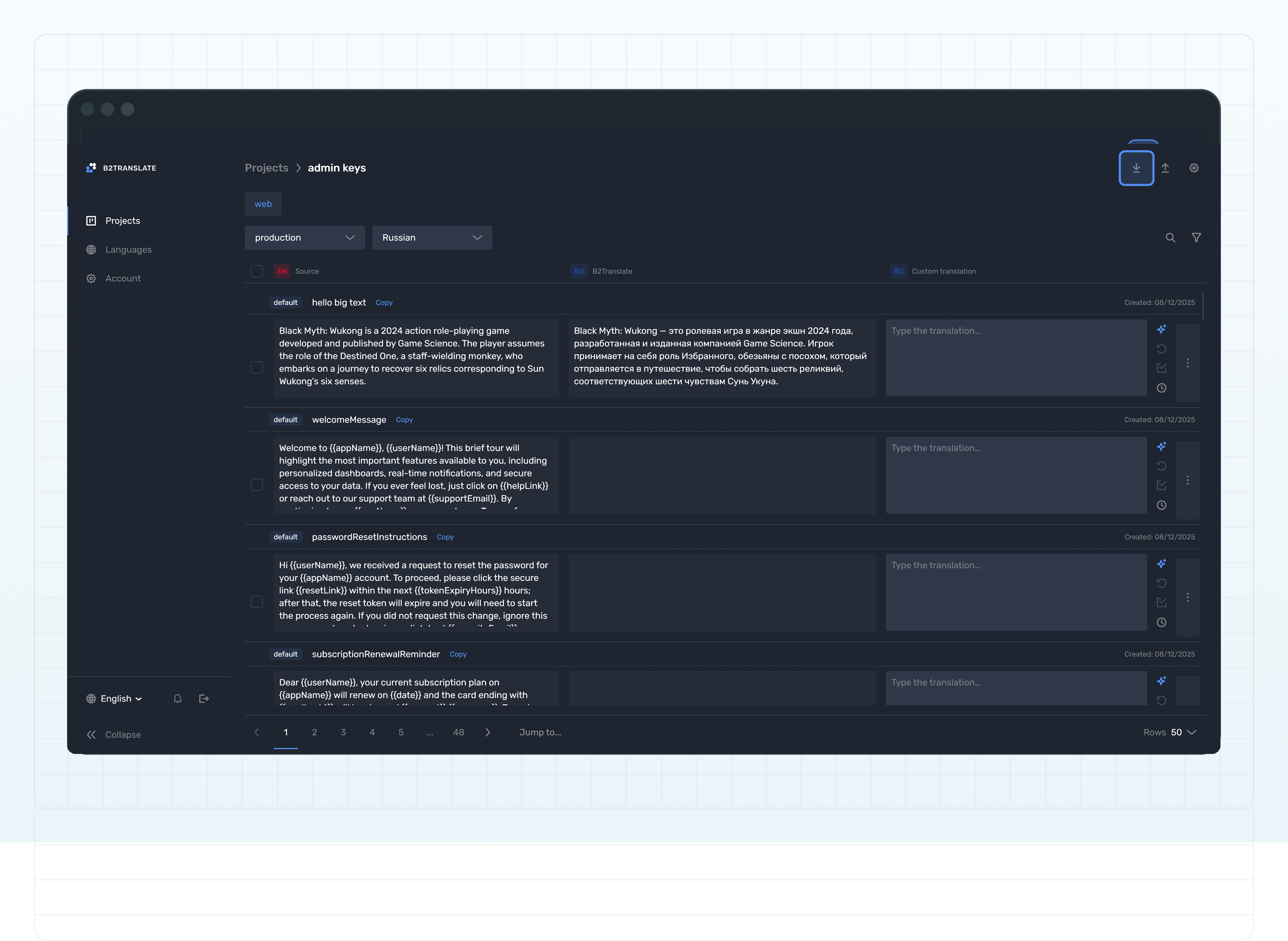
On the Projects page, click the name of a project to which you want to copy translations.
From the language dropdown above the table, select a required language.
Click Import keys in the page header.
In the Import keys popup, check the selected platform (if applicable) and language.
From the Import from project dropdown, select a project from which you want to copy the translations.
Only projects containing the selected platform (if applicable) and language and where you're assigned at least the Viewer permission are displayed.
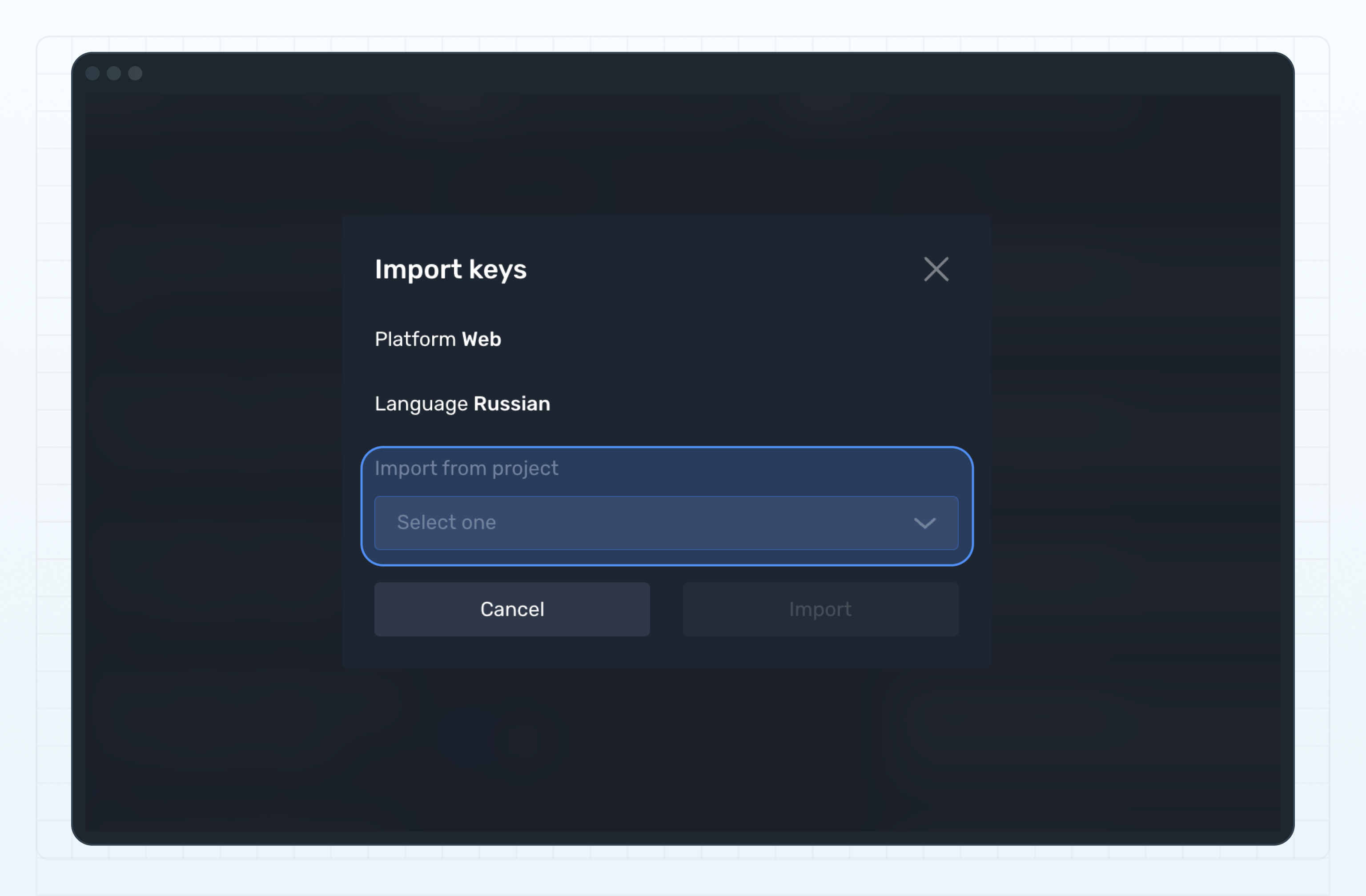
Click the Import button.
If needed, repeat for other languages.
Last updated on