 B2BROKER
 B2CORE
 B2CORE IB
 B2TRADER
 B2CONNECT
 B2TRANSLATE
 B2BROKER
将交易移至 In progress
通过在 PaymentSystem Assistance 请求中将入金或出金移至 In Progress,恢复与外部系统的同步
将交易移至 In progress
要继续将入金或出金状态与外部支付系统同步,请在 PaymentSystem Deposit Assistance 或 PaymentSystem Withdrawal Assistance 请求中将其移至 In progress。这将恢复该交易的 Polling job 流程。
要将交易移至 In progress:
在相关的 PaymentSystem Deposit Assistance 或 PaymentSystem Withdrawal Assistance 请求中,点击 Move to in progress。
请根据 Deposit/Withdrawal information 中显示的 Payment provider identifier 状态继续操作。
如果 Payment provider identifier 标记为 Verified,将显示以下弹窗:
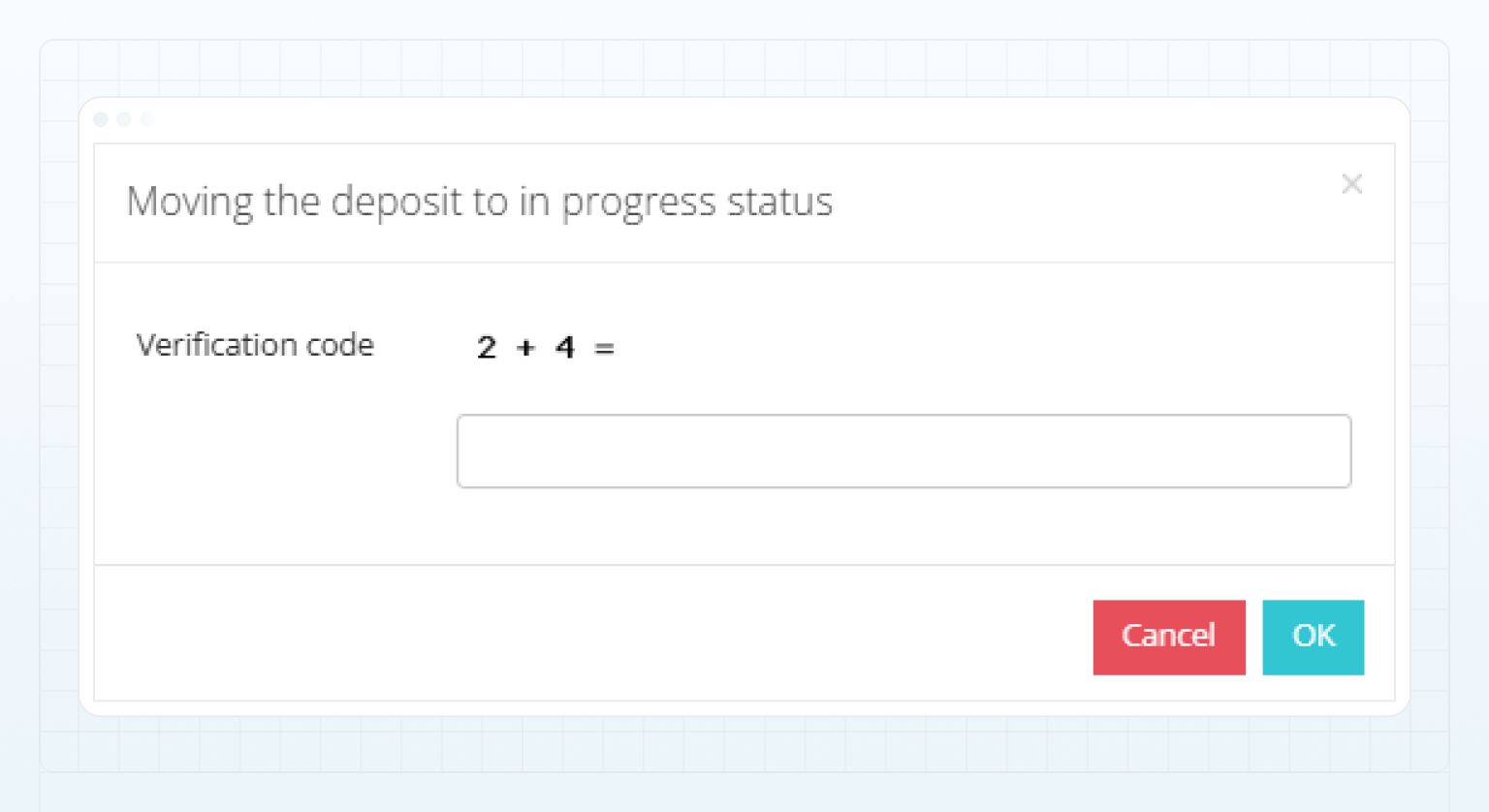
要确认操作,请解决一个简单的数学题,并在 Verification code 字段中输入结果。
如果 Payment provider identifier 标记为 Unverified,您必须前往外部支付系统,确认相关交易存在并复制其标识符。
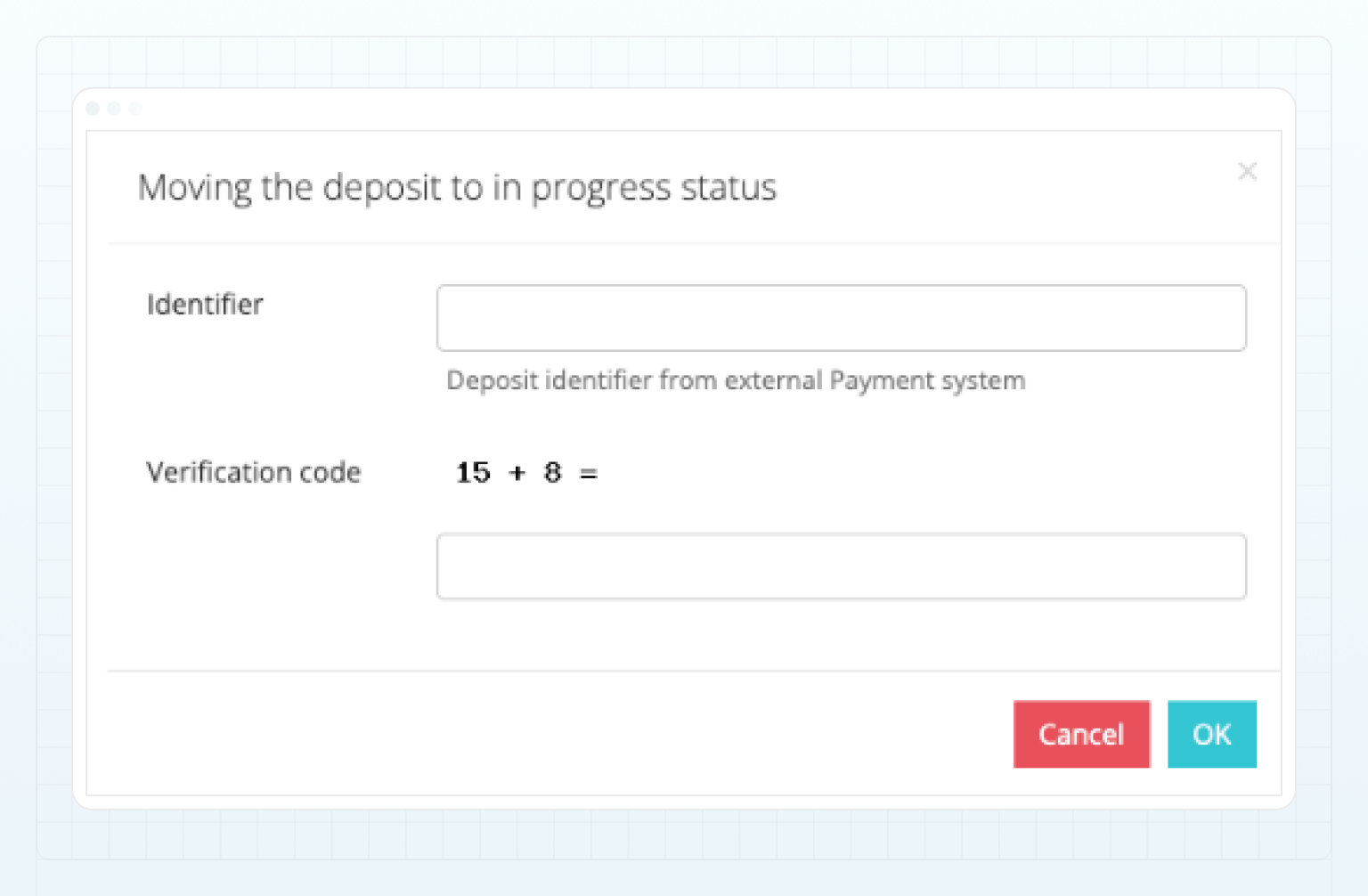
在显示的弹窗中,填写以下字段:
- 在 Identifier 字段中,指定外部支付系统中的交易标识符。
- 要确认操作,请解决一个简单的数学题,并在 Verification code 字段中输入结果。
点击 OK 以更改交易状态。
交易状态设置为 In Progress 后,该请求将标记为 Approved。此请求状态并不表示交易已成功完成,而是表示与外部支付系统的同步已恢复。
如果交易在重复同步期间再次被分配为 Unexpected 状态,系统将在 Clients > Requests 中自动创建一个新的状态为 Pending 的 PaymentSystem Deposit Assistance 或 PaymentSystem Withdrawal Assistance 请求,该请求将再次需要手动处理。
最后更新于